Wonderful, now we must upload and activate your website’s plugin.
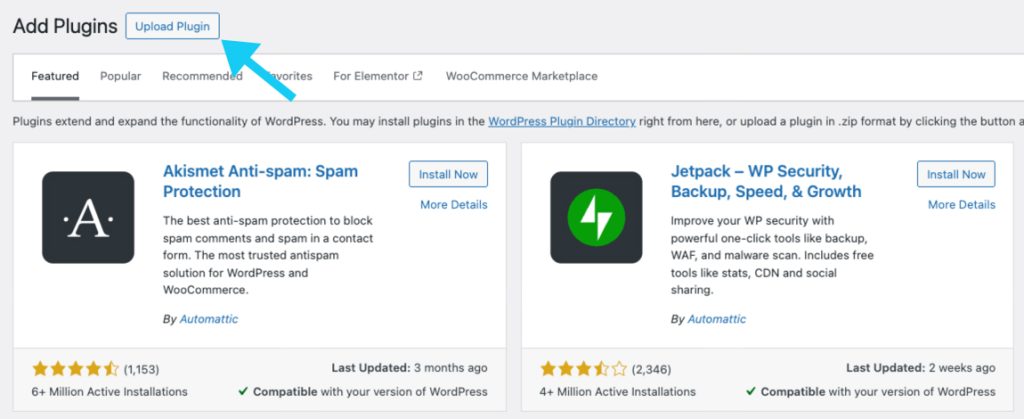
Log in to your website’s admin panel, which will be yourwebsite.com/wp-admin, and navigate to Plugins > Add Plugin
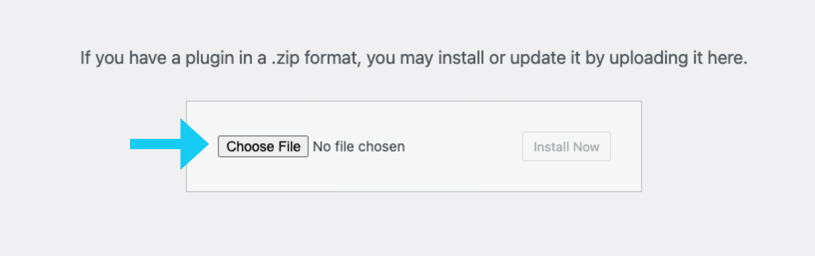
Click on choose now and select the plugin zip file you downloaded and click on Install Now
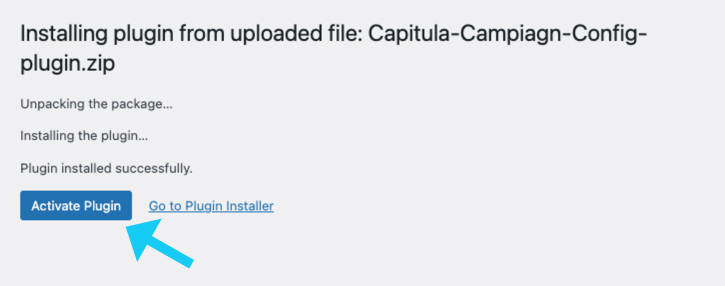
Now click on activate plugin
Thank you. Now that you have successfully installed the plugin and your website is configured, let us know if you need any other help.
Security Notice: Payment Data
The Capitula Campaign Configuration plugin is strictly for analytics and tracking (like CDN Integration and Universal Form Tracking). We NEVER capture or store customer credit card or payment details. All payment processing is the sole responsibility of your designated, secure payment gateway.