Install the plugin in WordPress
In your WordpRess dashboard:-
2. In the sidebar (left), select Plugins > Add Plugin.
3. In the search box provided (top, right) type in "Taboola Pixel":
As you type, the system automatically filters for matching plugins.
4. Locate the Taboola Pixel plugin and click on Install Now:

5. Once the installation has run, click on Activate:

6. In the sidebar (left), select Taboola Pixel, and follow the instructions below to install the base pixel.
Install the base pixel
Once you have installed the plugin (as described above):
1. In your WordPress dashboard, select Taboola Pixel (left)
2. Click on Connect Realize Account:

3. A ‘Connect WordPress App’ popup appears. Click on Next:

4. Select the Realize account, and input your log-in details provided to you by Capitula.
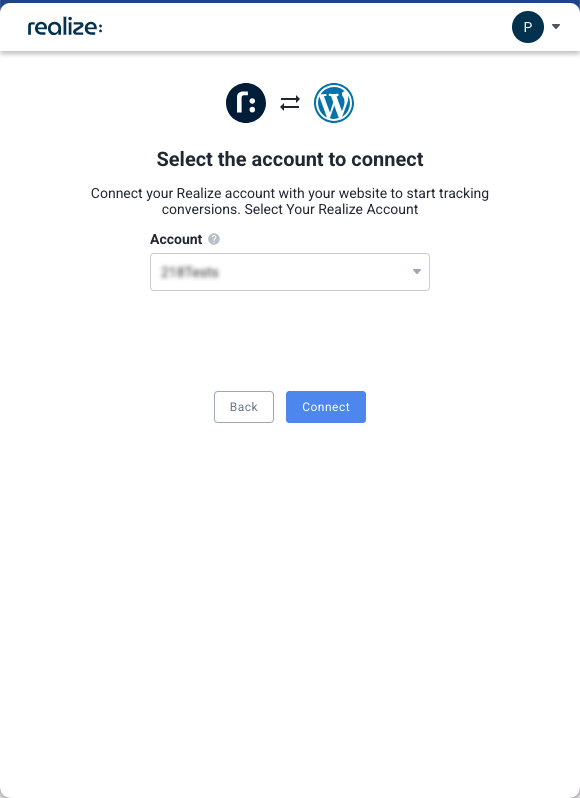
5. Click on Install Pixel:

6. Upon installing successfully, a success message displays:
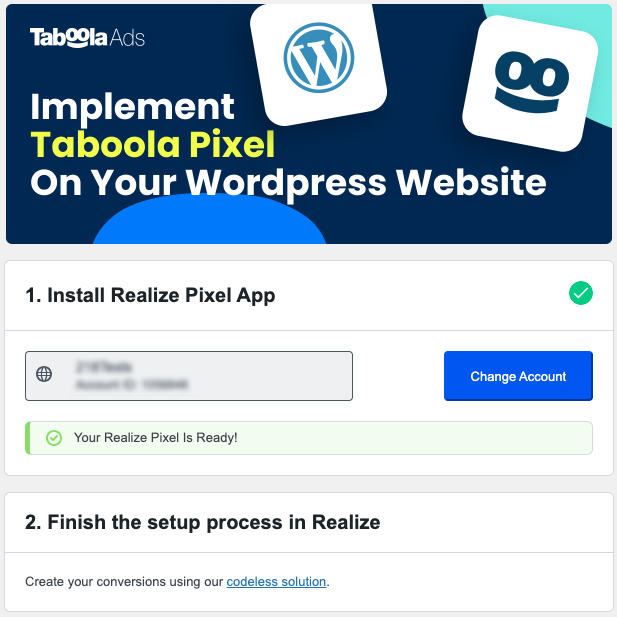
Congratulations. Email paul@capitula.co.uk to ensure everything works properly.