Set up Taboola Pixel App
1. In a new browser tab, log into your Shopify dashboard.
2. Access the Taboola Pixel app in the Shopify marketplace.
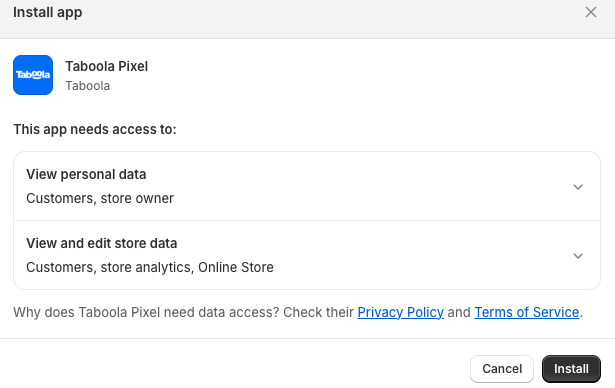
3. If you have not already done, so install the app:
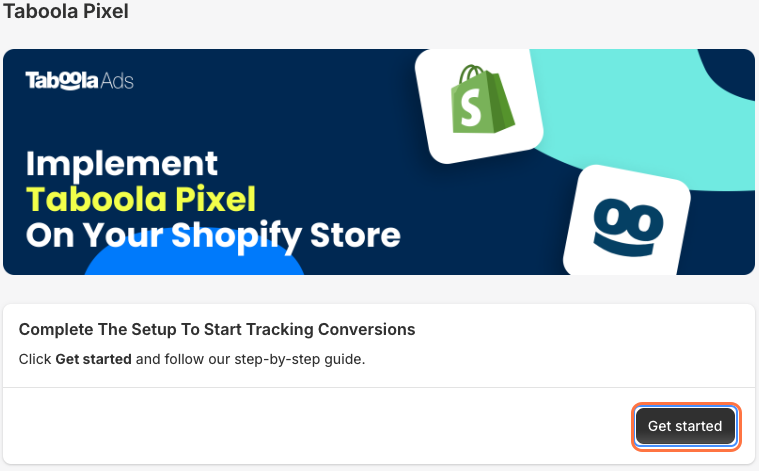
4. Open the app and click on Get Started:
(If the login pop-up does not appear, disable any ad blockers, and reload the page).
Next: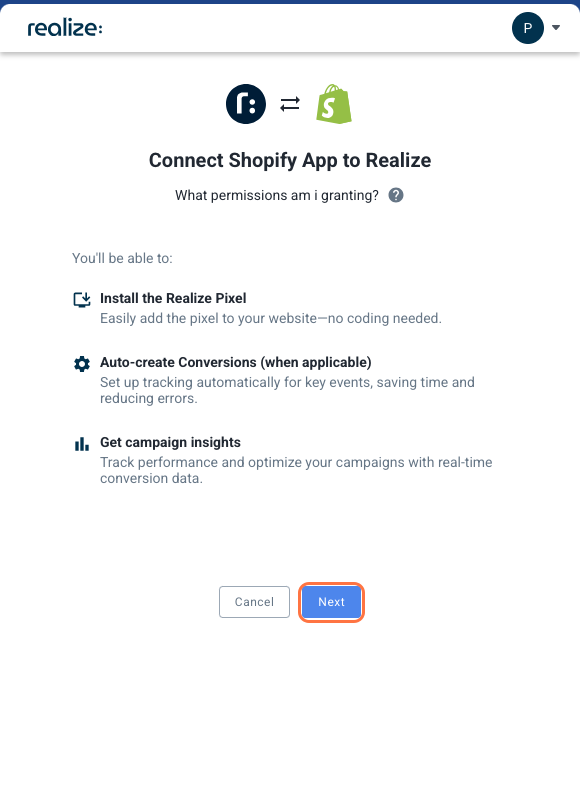
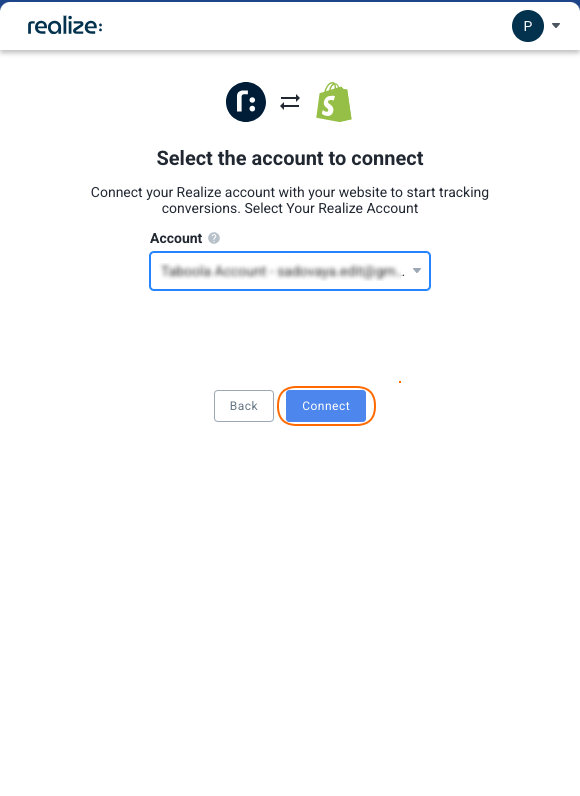
Install:

No / I'm not sure, and click on Done (bottom, right).Yes, and follow the instructions shown: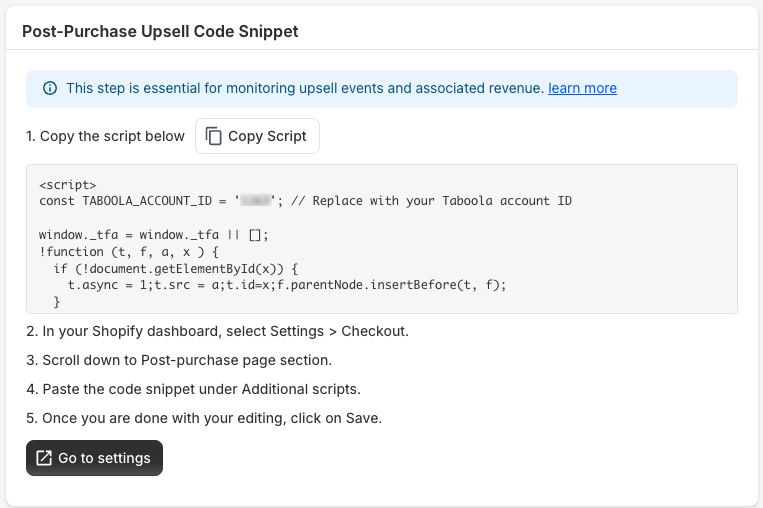
Copy Script (top, right) to copy a prefilled code snippet.Go to settings (bottom).Settings > Checkout, scroll down to the Post-purchase page section.Additional scripts, and click Save (top of page).Done (bottom, right).Installed Conversions dropdown to review the newly created conversions. Taboola will receive Upsell Purchase conversions once you have installed a Post-Purchase Upsell App and set up an event (see above). All other conversions are effective immediately.Testing Tool link (bottom) to test your new integration notify Capitula to verify this.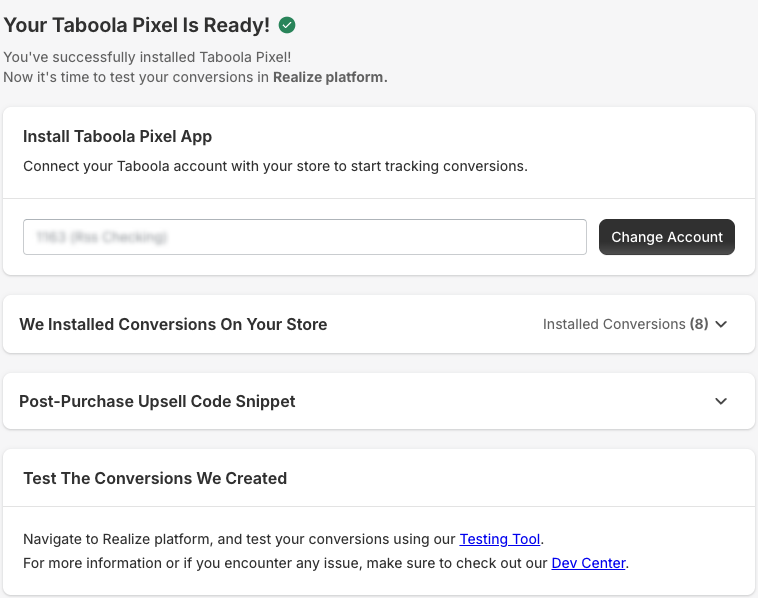
What’s next?
Next, make sure to look at the two specific cases below:-
1. Review your privacy and cookie banner settings.
When using the Taboola Pixel app, make sure that your cookie banner has been set up appropriately in Shopify. Otherwise, Shopify will not be able to track Taboola pixel events.
Make sure to review each of the sections below.
A technical note: The Taboola Pixel app uses the Shopify API to pass events. Without an appropriate cookie banner, the Shopify API will not pass events to Taboola.
1. Open your Shopify dashboard.
2. Select Settings > Customer privacy.
3. (Recommended) Verify that your cookie banner is enabled for the relevant countries: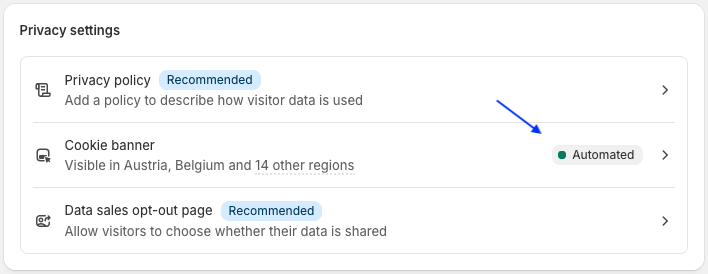
Cookie banner at checkout
If your website funnel sends the user directly to Shopify checkout, then you must enable the cookie banner in checkout. Otherwise, Shopify will not notify Taboola of any events throughout the checkout flow.
1. In your Shopify dashboard, select Settings > Customer privacy.
2. Scroll down to the Checkout section and enable Show cookie banner in checkout.
3. Click on Save (at the top of the screen).
General cookie banner settings
1. If you do remove Shopify‘s native cookie banner, make sure to install a privacy app with its own banner(Alternatively, under Edit regions, remove all countries.)
2. If you have not already done so, set up an event for your Post-Purchase Upsell App: A post-purchase upsell app allows you to offer additional products just after a purchase, without the need to re-enter payment details or shipping information.
a. Log into your Shopify dashboard.
b. Under Apps (bottom, left), open Taboola Pixel.
c. Expand the Post-Purchase Upsell Code Snippet section and follow the instructions provided:
For more detail, see the installation instructions above.